
Unlock True AI Potential: 5 Amateur Mistakes ChatGPT Beginners Make
Stop getting bad results from ChatGPT! Learn the 5 massive mistakes beginners make and instantly fix them. Stop guessing and start optimizing now.
Imagine having access to the world’s most sophisticated, multi-lingual digital assistant, capable of drafting legal contracts, writing poetry, coding complex software, or summarizing massive data sets in seconds.
Now imagine asking that assistant to “write a story” and receiving a generic, uninspired, totally forgettable response.
This is the exact frustration millions of new users experience daily with ChatGPT.
They sign up, inspired by the buzz, they log in, and they face the blinking cursor. And then… the results are just okay. They aren’t magical. They aren’t revolutionary. They feel slightly… artificial.
The temptation is to blame the technology. “AI isn’t ready yet,” people say. “It can’t really write like a human.”
But the reality is far more powerful: The problem isn’t the AI; it’s the input.
ChatGPT is a mirror, reflecting the clarity and specificity of your instructions back at you. If your prompt is generic, your response will be generic. If your prompt is weak, the response will be weak. Mastering ChatGPT isn’t about knowing how to code; it’s about mastering Prompt Engineering.
In this guide, we will break down the absolute most common mistakes beginners make that sabotage their results, turning potential breakthroughs into boring replies. We’ll show you why these approaches fail and, crucially, how you can fix them—instantly.
If you are tired of mediocre output, you can drastically enhance your ChatGPT prompts instantly using our free tool. But first, let’s identify the traps you’ve been falling into.

(Featured Header Image: A user experiencing frustration as a simple, generic prompt (“write a story”) yields a lackluster result from ChatGPT, highlighting the core problem new users face.)
1. The “Vague Voids”: Treating AI Like a Magic Wand
The single biggest mistake beginners make is providing insufficient detail.
New users often approach ChatGPT as if it is a mind-reader. They provide extremely concise, underspecified instructions and expect the AI to infer their intent, tone, style, and goals.
Why It Fails:
ChatGPT is a large language model. It works on probability. If you provide a generic prompt, it will provide the most probable, generic response that fulfills the bare minimum requirements. It takes no risks because you haven’t defined the constraints.
The Fix: Be Specific (Exceedingly Specific)
You cannot give the AI too much context. When structuring your request, think about these key parameters:
- Topic: What is the subject?
- Format: Do you want a blog post, a poem, an email, a bulleted list, a code snippet?
- Tone: Should it be professional, humorous, empathetic, concise, or sarcastic?
- Length: Set constraints (e.g., “500 words,” “under 100 characters,” “3 paragraphs”).
| Generic Prompt (Amateur) | Specific Prompt (Master) |
| “Write a resignation letter.” | “Write a professional but brief resignation letter to my manager, Sarah. I’m leaving my role as Senior Analyst after 4 years to accept a new opportunity. Keep it polite, express gratitude, and state my last day is October 30th. Tone should be respectful.” |
| “Give me ideas for a blog.” | “Generate 10 engaging blog post titles for a website targeting vegan parents. Focus on topics related to quick school lunches, nutritional advice, and traveling with vegan kids. Ensure titles are SEO-friendly and under 60 characters.” |
2. Neglecting the Persona (The ‘Who’ is Missing)
When you don’t define who the AI should “be,” you are missing out on one of ChatGPT’s most powerful capabilities: emulation. Beginners often start with an action verb (“Write…”, “Explain…”) rather than defining an identity.
Why It Fails:
Without an assigned persona, ChatGPT defaults to its generic “helpful AI assistant” mode. This persona is knowledgeable but flat. It lacks the nuance, industry-specific jargon, unique perspective, or authority required for specialized tasks.
The Fix: Assign an Expert Role
Always tell the AI who it is before telling it what to do. The difference in quality is profound.
Examples of powerful personas:
- “You are an expert SEO copywriter with 10 years of experience…”
- “You are a compassionate career coach helping a client…”
- “Act as a seasoned Python developer reviewing code for…”
- “You are a skeptical historian analyzing the…”
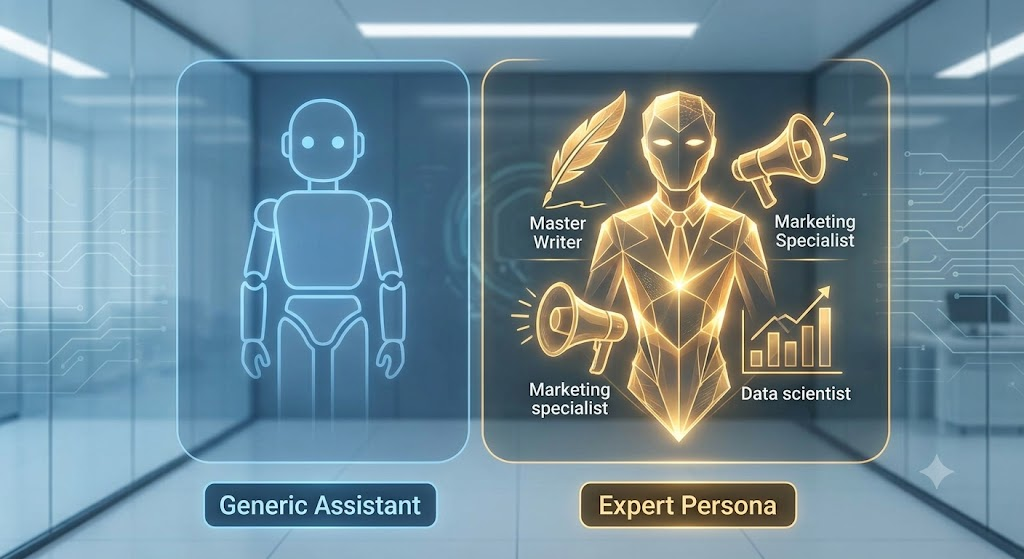
(Image 2: Visualizing the change in output quality. The default AI is flat and colorless; when assigned an “Expert Persona” (e.g., a combination of a master writer, marketer, and data scientist), the output glows with specialized competence.)
3. The “One-Shot” Trap: Fearing Iteration
A “one-shot” prompt is when a user pastes their entire instruction, hits enter, and expects the perfect final product on the first try. If it’s not perfect, they get discouraged or try to rewrite the entire prompt from scratch.
Why It Fails:
Complex tasks are rarely solved in one step. Writing a high-converting sales email is a process involving outlining, drafting, refinement, and tone-checking. Expecting ChatGPT to execute this perfectly in one “shot” places too much cognitive load on the model and usually results in structural issues or missed details.
The Fix: Iterate and Build Dynamically
Treat ChatGPT as a collaborator in a dialogue, not as a search engine. Follow an iterative process:
- Start with the structure: Ask ChatGPT to provide an outline first. “Provide an outline for a 1,000-word article about the benefits of intermittent fasting.”
- Review and refine: “The outline looks good, but please add a section on ‘Potential Pitfalls for Beginners’ before the conclusion.”
- Draft section by section: “Excellent. Now, write the introduction using the persona of a sympathetic nutritionist. Keep the tone encouraging.”
- Refine the draft: “Great start. Rewrite the introduction, but make the opening hook more dramatic. Focus on the feeling of constant fatigue.”
4. The “No Examples” (Zero-Shot) Folly
Beginners often ask ChatGPT to generate content in a specific style without showing it what that style looks like. This is called “zero-shot prompting.” You might ask for a “snappy, modern” intro, but your definition of “snappy” may differ vastly from the AI’s.
Why It Fails:
Style, voice, and complex structural formats are difficult to describe purely with adjectives. By not providing examples (few-shot prompting), you are forcing the AI to guess your stylistic preference from a vast range of possibilities.
The Fix: Provide Examples and Anchors
If you want the AI to emulate a tone, write in a specific format, or follow a template, give it a sample.
Example of Few-Shot Prompting:
“I need you to write a product description for a new stainless steel coffee maker. Use a style similar to this example:
Example 1 (Blender): ‘The Apex Vortex isn’t just a blender; it’s an kitchen revolution. With 1500 watts of raw power, it turns ice to snow instantly. If you demand performance, the Vortex delivers.’
[Now write the description for the coffee maker following that same punchy, powerful tone.]“
5. Trusting the Output Blindly (The Hallucination Hazard)
Perhaps the most dangerous mistake is the assumption that if an AI states something confidently, it must be true. Beginners often treat ChatGPT as a fact-checking tool or a calculator.
Why It Fails:
Large language models are designed to be fluent and plausible, not factually accurate. They are predicting the next likely word, not querying a reliable database. This can lead to hallucinations—ChatGPT confidently making up facts, statistics, citations, or legal precedents that do not exist.
The Fix: Verify Everything
Use ChatGPT as a drafting, brainstorming, or creative tool, but never as your final editor or primary source for verifiable information.
- Fact-check all dates, names, figures, and legal references.
- Verify mathematical calculations.
- Review code carefully before implementation.
Summary: From Amateur to Pro Prompter
By avoiding these five common pitfalls, you can immediately elevate the quality of your AI interactions. Mastering prompt engineering means moving from vague, one-shot requests to structured, specific, multi-step collaborations with a defined expert persona.
Here is a recap of the mistakes and fixes:
| Mistake | How to Fix It | Goal |
| 1. Being Vague | Provide extreme detail (topic, tone, format, length). | Precision |
| 2. Ignoring Personas | Assign an expert role (“You are a Senior SEO…”). | Authority & Voice |
| 3. One-Shotting | Interact, iterate, and build complex tasks section-by-section. | Collaboration |
| 4. No Examples | Provide ‘few-shot’ examples of the style or format you need. | Stylistic Alignment |
| 5. Blind Trust | Treat all factual claims with skepticism. Verify, fact-check, and review. | Accuracy & Safety |
🚀 The Easiest Fix: Stop Guessesing, Start Optimizing Instantly
Feeling overwhelmed? If you don’t have time to master the nuances of few-shot prompting, persona definition, and iterative drafting, there is a faster way.
You don’t need to be a prompt engineering expert to get expert results.
We created AI Prompt Optimizer Pro to bridge the gap. Our free tool takes your generic, weak prompts (Mistake #1) and instantly transforms them into highly specified, role-based, structured “super-prompts” optimized for maximum performance.
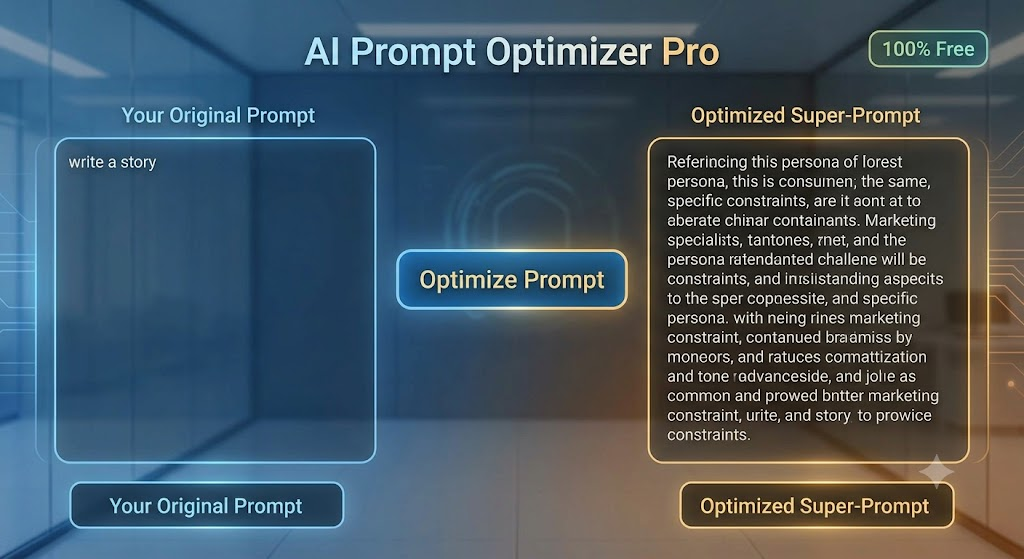
(Image 3: A look at the AI Prompt Optimizer Pro interface. A user inputs the weak prompt “write a story” on the left, clicks ‘Optimize’, and instantly receives a complex, role-based “Super-Prompt” on the right, effectively solving mistakes 1-4 with one click.)
Why try AI Prompt Optimizer Pro?
- Fix Mistakes 1, 2, 3, & 4 Instantly: Our tool automatically adds expert personas, requests iteration (if necessary), incorporates structure, and defines constraints.
- Multi-Platform Compatibility: Optimized prompts work not just for ChatGPT, but also for Claude, Gemini, and Grok.
- 100% Free & Fast: No sign-up, no credit card required. Just paste, optimize, and see the difference.